FF
Form and Field
Documentation Beta Program
v11 — Now available

BIM data for the people
who actually build the project.

Join the Beta Quick Start Guide
Form and Field dashboard

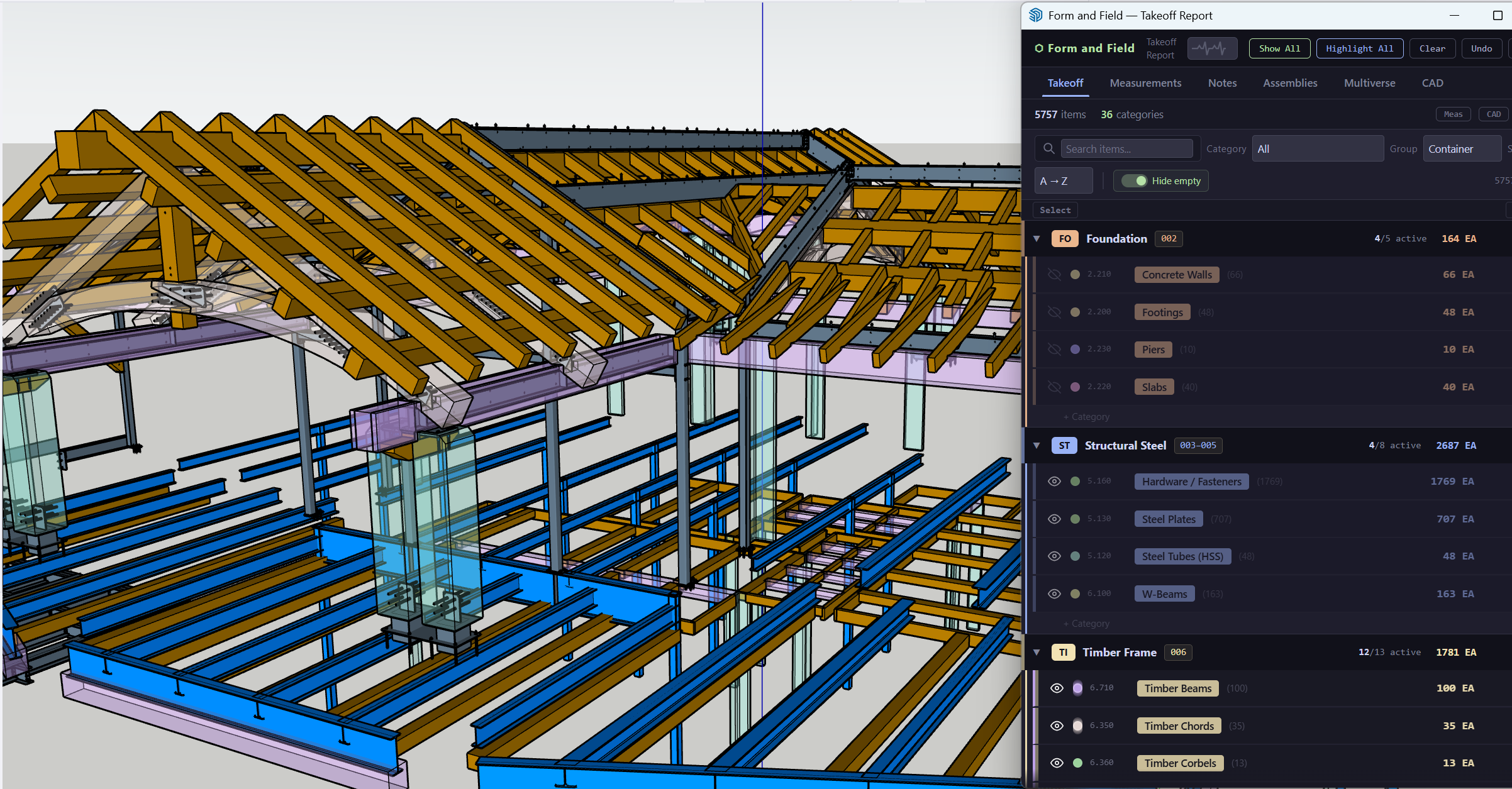
Every modern building starts in Revit. But the people who actually build it don't use Revit. Form and Field brings BIM intelligence into SketchUp so GCs, PMs, and estimators can see, organize, and quantify what the architects designed. And when Rev 2 shows up, you don't start over.

Revit + IFC → SketchUp
No Revit seat required
Built by a GC, for GCs
$50/mo — not $10K/yr
Capabilities

The architect's model, in your language.

Revit models hold everything you need to build. Form and Field translates that data into a tool you already know.

SC

Intelligent Scanner

One-click scan classifies every entity by IFC type, material, geometry, and naming conventions. A learning system improves with every project you run.

VZ

Visibility That Actually Works

Isolate categories, containers, or individual entities instantly. Toggle eye icons, color-code by trade, and filter your model without fighting SketchUp's tag system.

MS

One-Click Measurements

LF, SF, CF, EA, and board feet calculated from geometry automatically. Manual measurement tools for anything the scanner doesn't reach. Click a category, get totals.

MV

Model Comparison

Import two model versions side-by-side. Smart diff highlights what changed between revisions: added, removed, modified, with quantity deltas.

NT

Notes & Collaboration

Pin notes to entities, tag measurements with context, and share annotated models with your team. Everyone sees the same organized data, no spreadsheet telephone.

CC

Cost Codes & Templates

Map categories to your cost code system, save templates, and reuse them across projects. When the next model comes in, it's scan and go.

HP

Hyper Parse

Sort hundreds of miscategorized entities by name, color, or dimensions. Select one railing post, find all 47 matches, assign them in one click.

AB

Assemblies & Reports

Group entities into assemblies with beam inventories and parts lists. Export CSV/XLSX reports with categories, cost codes, and quantities ready for your estimate.
Revisions

Don't start over with each plan revision.

With a manual workflow, every model update means starting from scratch. Re-import, re-organize, re-tag, re-measure. Days of work wiped out because the architect moved a wall and added a staircase.

Form and Field fixes this. Save your scan as a template. Cost codes, categories, and classification rules carry forward to every future revision. When the next model drops, scan it with your saved template and pick up where you left off. Use Multiverse to see exactly what changed between versions, what was added, removed, or modified, with quantity deltas. The model evolves. Your work compounds.

Workflow

From Revit file to field-ready data in three steps.

1

Scan your model

Import a Revit or IFC file into SketchUp, click the scan button, and pick a template. FF classifies every component and opens your takeoff dashboard in seconds.

2

Refine and organize

Visually cycle through categories with one-click isolation. Use Hyper Parse to grab-and-match the stragglers. Pin notes, assign cost codes, and save your template for next time.

3

Export and collaborate

Export your takeoff to CSV or XLSX. Share annotated measurements and notes with your team. When Rev 2 arrives, use Multiverse to see exactly what changed.

In Action

See it for yourself.

Your architect's model has the answers. Start reading it.

We're looking for GCs, PMs, and estimators who are tired of getting a Revit file they can't open. Try Form and Field and see what's inside your model.

Join the Beta Program

Form and Field v11 — support@form-field.comDocs